
SimpleTranslate eliminates manual Salesforce translation work. Automate metadata and data translation, manage approvals, deploy across multiple orgs, and integrate with your existing DevOps pipeline.
If your Salesforce org supports more than one language, someone on your team is doing work that should not require a human. Exporting files, editing entries, re-importing, repeating it all next release. SimpleTranslate automates that entire cycle.
Here is what it covers and where to begin.
What SimpleTranslate handles
Metadata translation — custom labels, field labels, picklist values, validation messages, Experience Cloud content, Commerce Cloud catalogs, and XLIFF files from Translation Workbench.
Data translation — translate Salesforce record data in real time through Flow or Apex, directly inside your business processes.
In-app AI components — translation embedded directly into Salesforce pages for Cases, Leads, Live Chat, Email, and Chatter.
DevOps integration — plugs into your existing CI/CD workflow so translation is part of the release process, not something that happens around it.
Why teams move away from manual Translation Workbench
The native Salesforce Translation Workbench works but does not scale. Every release means the same export, edit, re-import cycle with no bulk translation, no approval workflow, no multi-org deployment, and no way to enforce consistent terminology.
SimpleTranslate replaces that with a structured workflow that gets faster the more you use it.
Where to start
Sign up and connect your org — follow the setup guide to enable Translation Workbench, connect your Salesforce org, and configure your translation engines. Takes under 15 minutes.
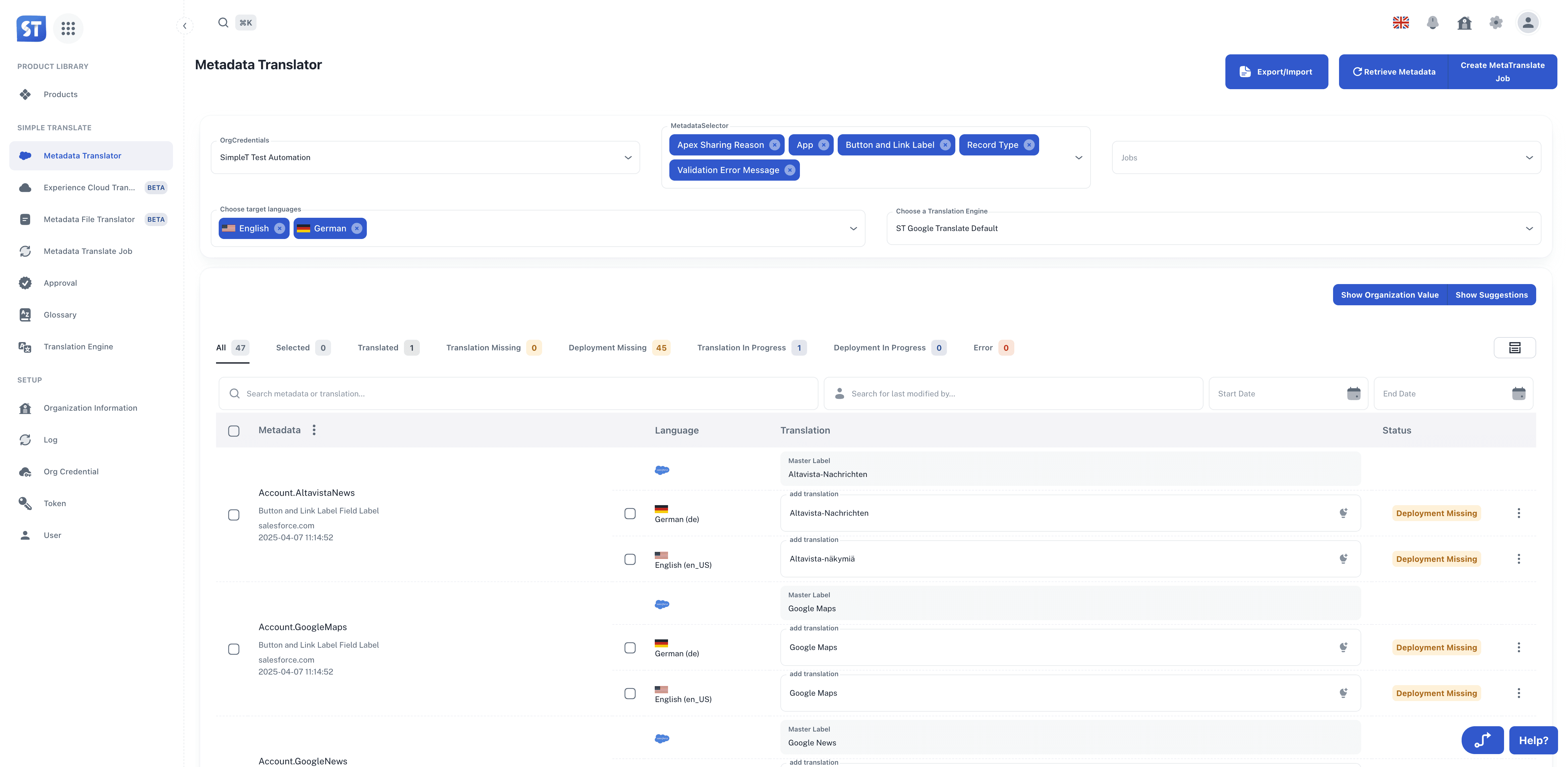
Run your first translation — use the Metadata Translator to retrieve metadata, translate in bulk, and deploy.
Explore from there — once the core workflow is running, look at Translation Jobs for approval governance, AI Components for in-page translation, and the DevOps integration for automating the full pipeline.
What‘s Next?
Ready to unlock the power of Simple Translate?
Sign up for your free trial - Get started in minutes
Follow our setup guide - Configure Simple Translate
Learn the workflow - Start translating 15x faster
Published:
10/11/2024
Back to the Articles List