
Control who can push translations live — deploy single items, bulk selections, and manage per-environment permissions from one place.
How to Deploy Metadata
Deploying a Single Item
Open Metadata Translator in the navigation bar.
Locate the item in the table.
Click the action menu on the row and select Deploy.
Deploying Multiple Items
Check the boxes next to the items you want to deploy.
Click Deploy above the list.
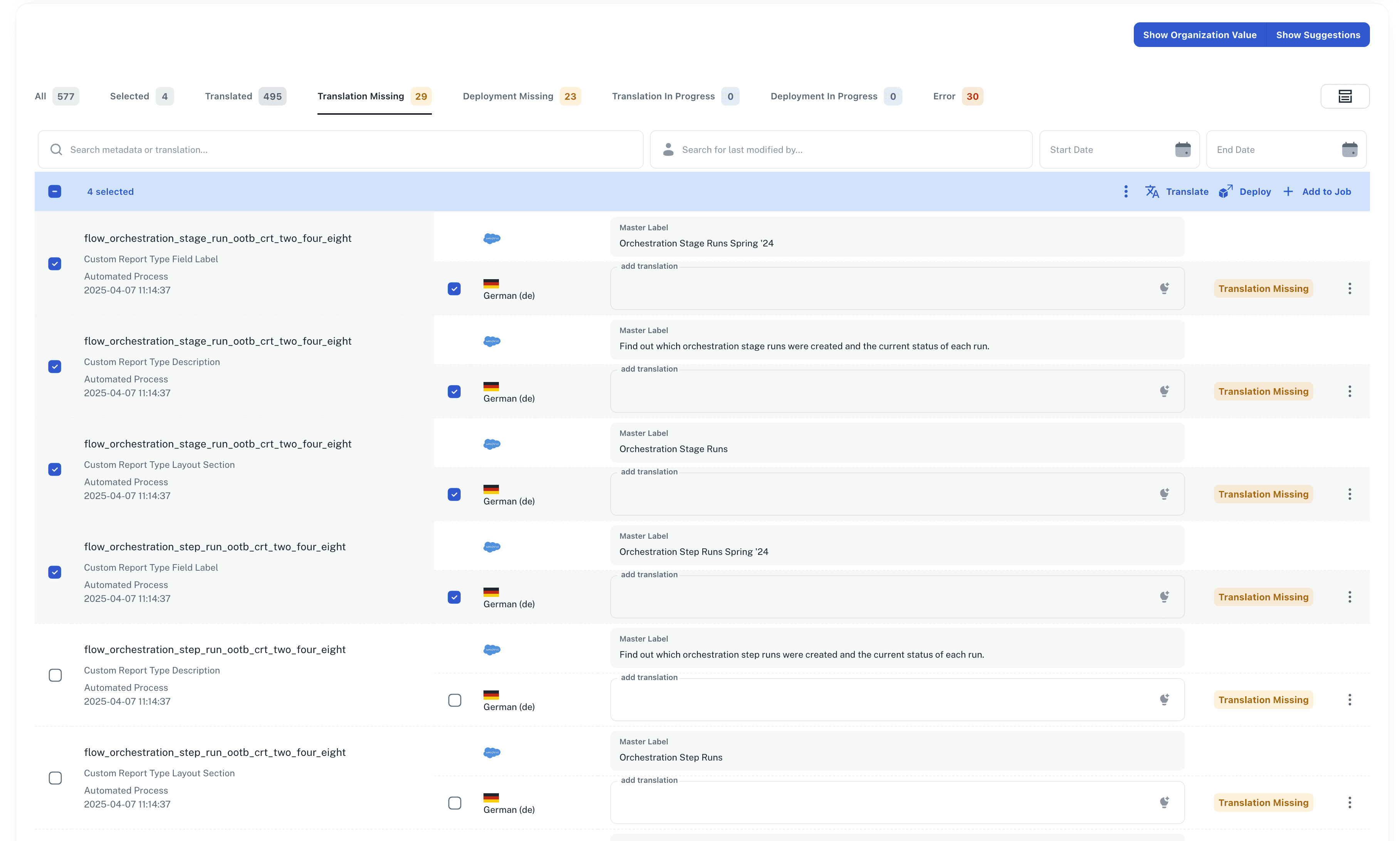
Deployment may take a few minutes. Once complete, translations are live in Salesforce. Deploying an item that was previously deployed overwrites the existing translation.
Configuring Deployment Permissions
Each environment can be set to one of two modes:
Deployable — all eligible users (Admins, Owners, Developers) can deploy.
Not deployable — only users on an allowlist can deploy.
To configure:
Open Organization Credentials in the navigation bar.
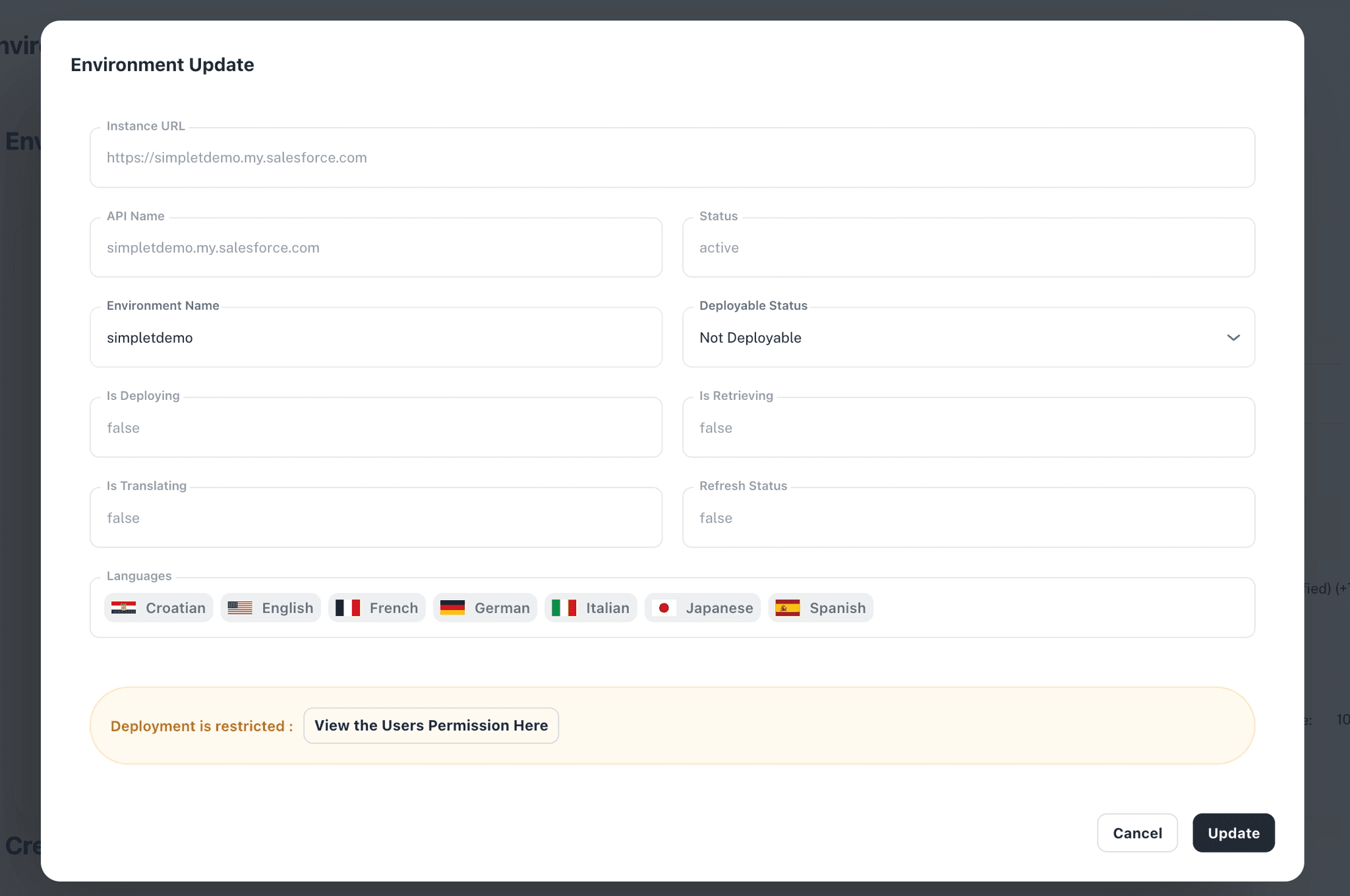
Click the Edit Environment (pen) icon on the environment row.
Toggle between Deployable and Not deployable.
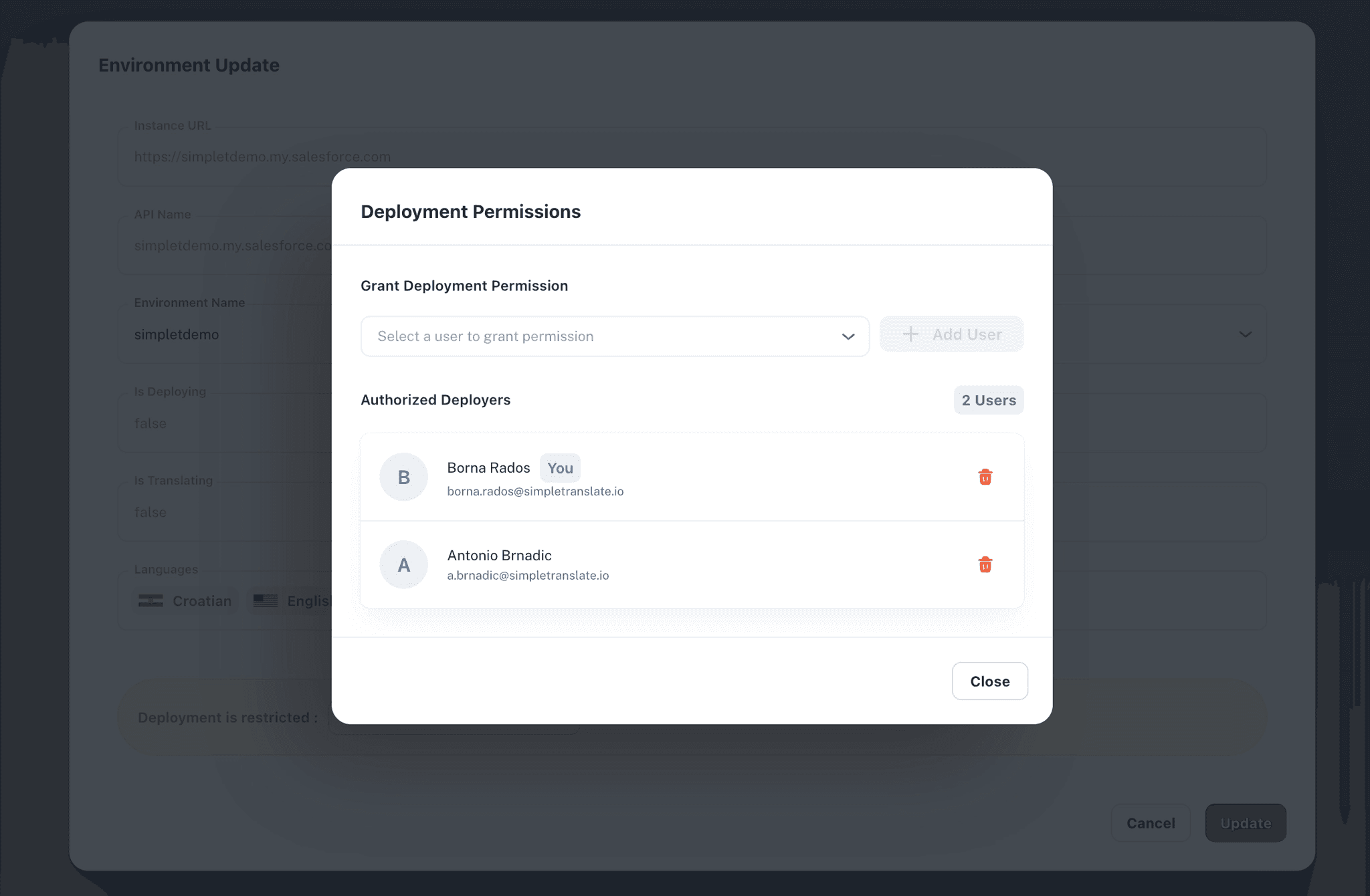
If restricted, add authorized users from the dropdown.
To revoke access, click the trash icon next to a user. Changes take effect immediately. The Translator role can never deploy, regardless of environment settings.
What Admins Should Know
Non-admin users can view permissions but cannot make changes. Deploy permission is required on every selected environment — if one is missing, the deploy action is disabled for the entire job. All permission changes are recorded in an audit log.
For technical implementation details and configuration options, visit our SimpleT Documentation.
Published:
6/26/2026
Back to the Articles List