
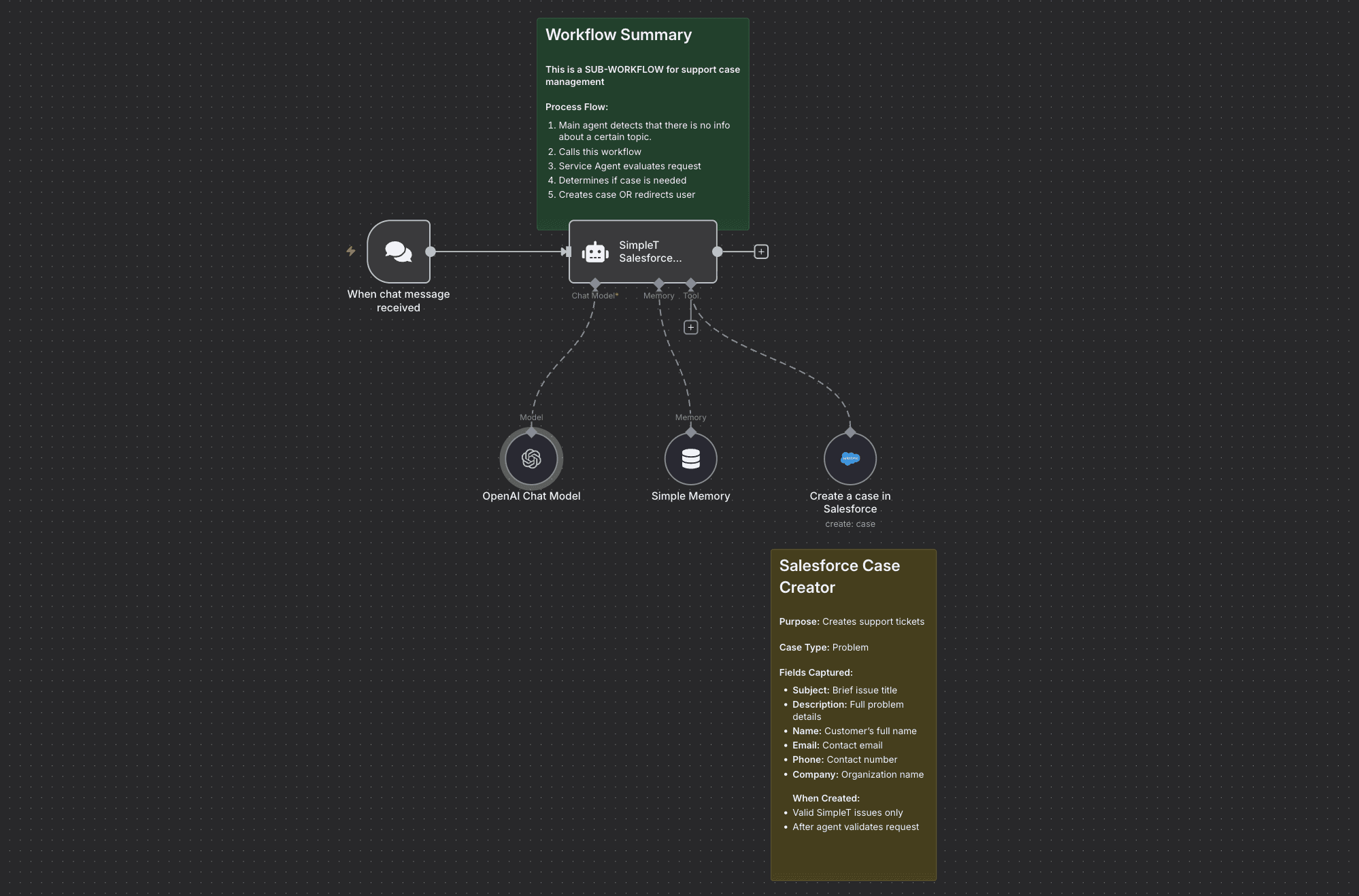
Connect SimpleT AI Chat Assistant with n8n workflows to automatically create Salesforce cases from chat conversations. Great for support teams, help desks, or any team that needs to track customer requests.
n8n Workflow
Prerequisites
n8n (workflow automation platform)
OpenAI API (GPT-4 access)
Salesforce OAuth2 (with Case object permissions)
Benefits
24/7 Coverage - Never miss critical support requests
Consistent Quality - Every case follows the same standards
Team Focus - Support staff work only on genuine issues
Setup Instructions
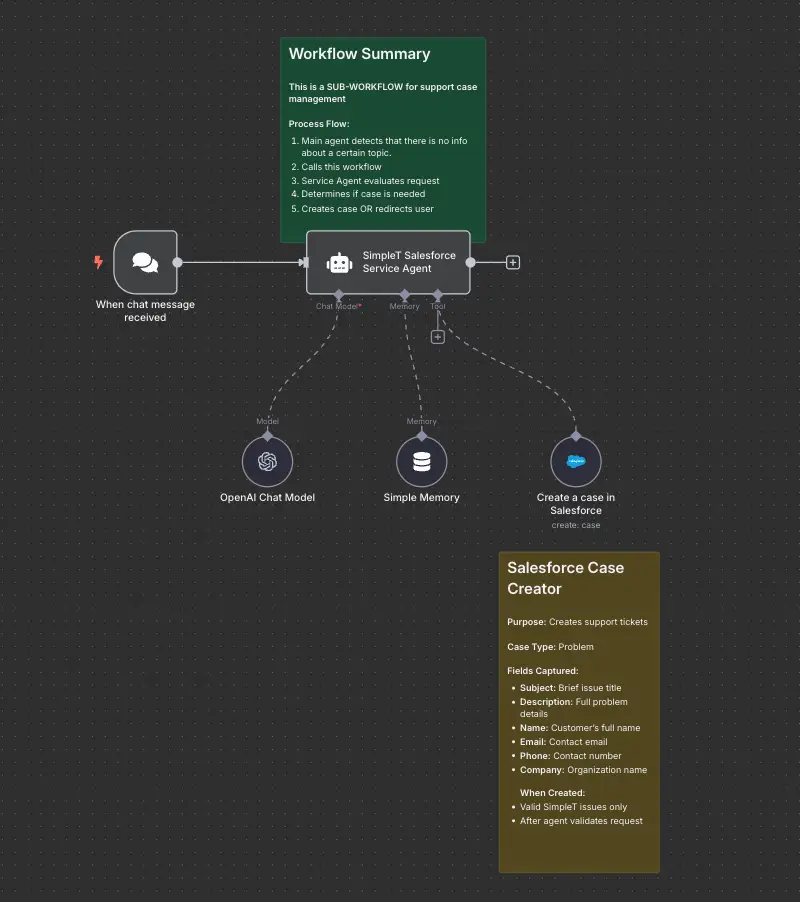
Step 1: Import workflow and configure credentials
1) Click "Copy Workflow" button above
2) Paste into your n8n instance
3) Add your OpenAI API key and Salesforce credentials
4) Update the webhook to your public URL endpoint
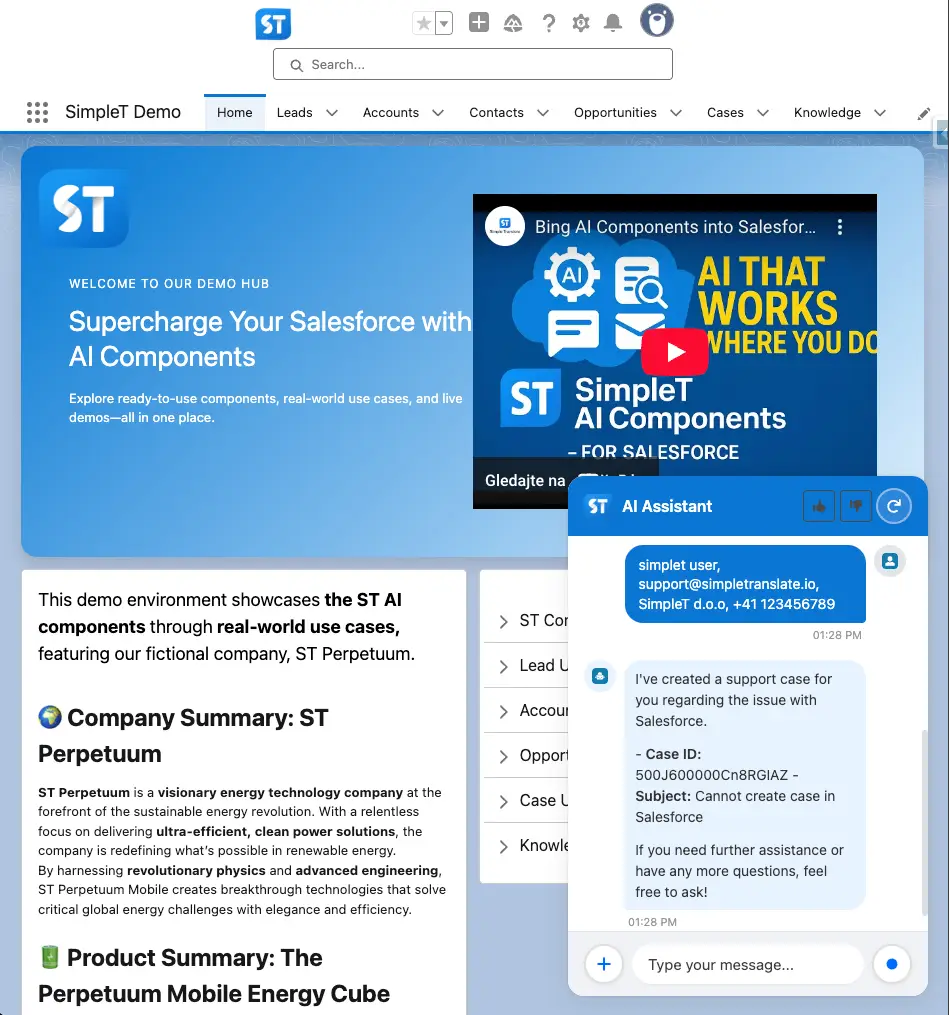
Step 2: Install SimpleT Components
1) Install SimpleT Components in your Salesforce org
2) Drag and drop the SimpleT AI Chat Assistant onto your home page or record page
3) Configure the chatbot authentication in the SimpleT AI Chat Assistant settings
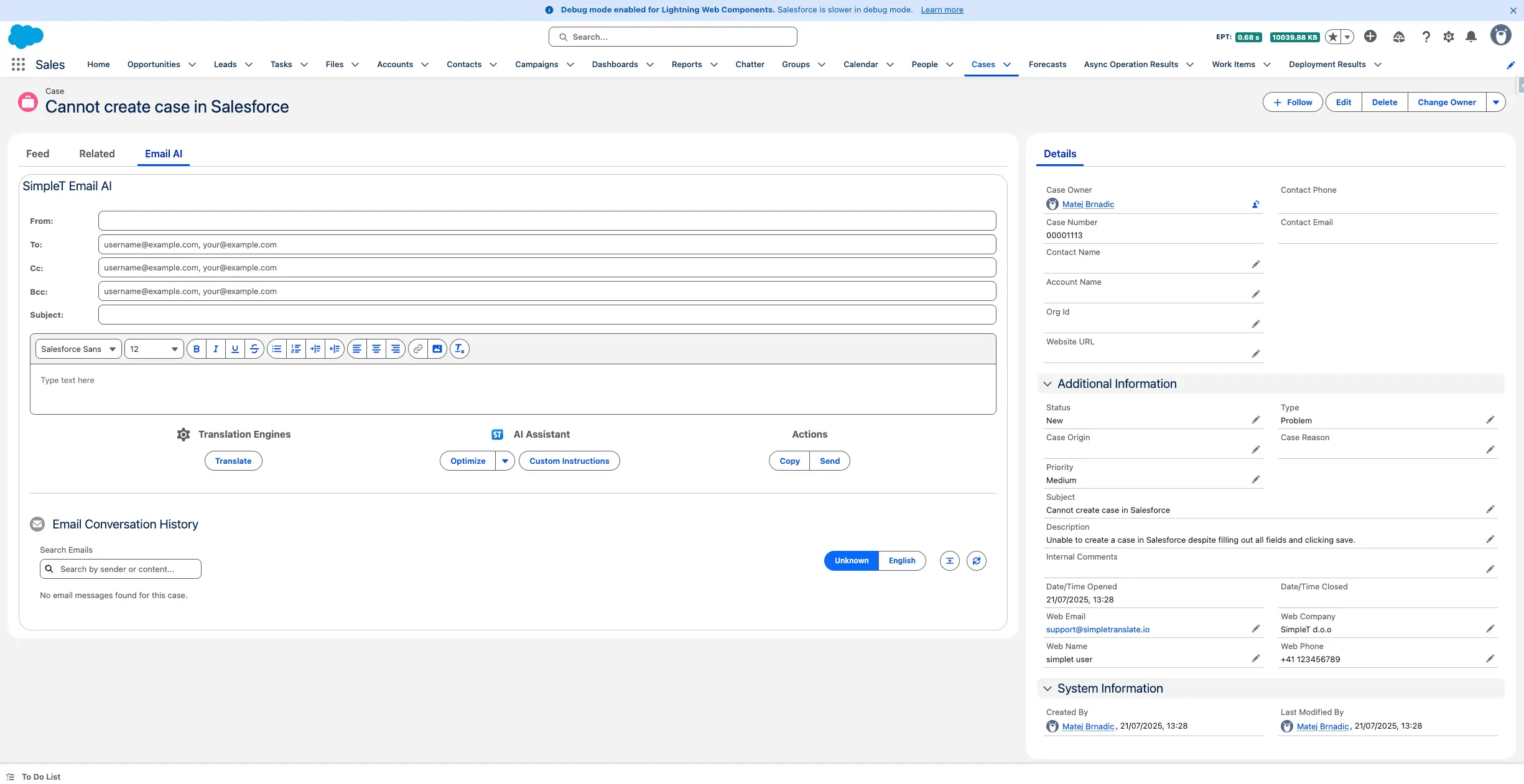
Step 3: View auto-created case
1) Open Salesforce and navigate to Cases
2) Find your newly created case
3) Review all auto-populated fields: contact info, issue description, priority, and more
How It Works
Send a message: Users chat with SimpleT AI Assistant on your Salesforce home page or through the n8n chat interface.
AI processes the request: The AI agent understands the message context and automatically extracts all relevant information needed for case creation.
Salesforce case auto-created: Complete case appears in Salesforce with all fields populated - no manual data entry needed.
For technical implementation details and configuration options, visit our SimpleT Documentation.
Published:
2/17/2025
Back to the Articles List