
A Salesforce XLIFF export can contain thousands of entries per language. SimpleTranslate lets you import the ZIP, translate everything in bulk, review centrally, and export back in the exact format Salesforce expects.
Export translations from Salesforce and you get a ZIP full of XLIFF files, each one holding thousands of entries. Every label, message, and system text has to be translated correctly, and editing those files by hand is slow, error-prone, and painful to repeat for every language.
SimpleT replaces the line-by-line editing with one structured workflow: import, translate in bulk, review, export.
What you get
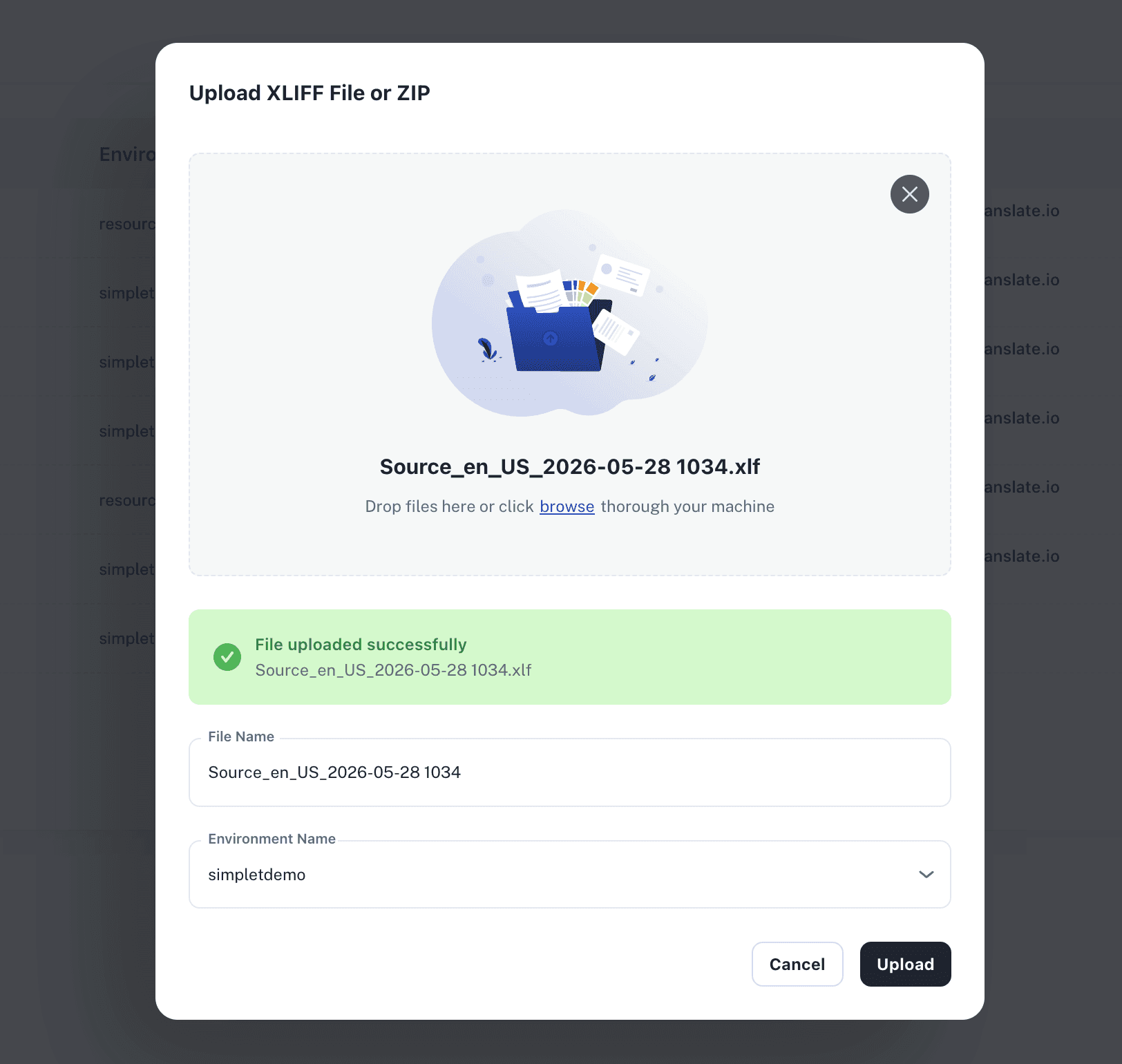
Import the ZIP directly — upload the Salesforce export as-is. Languages and metadata are detected automatically.
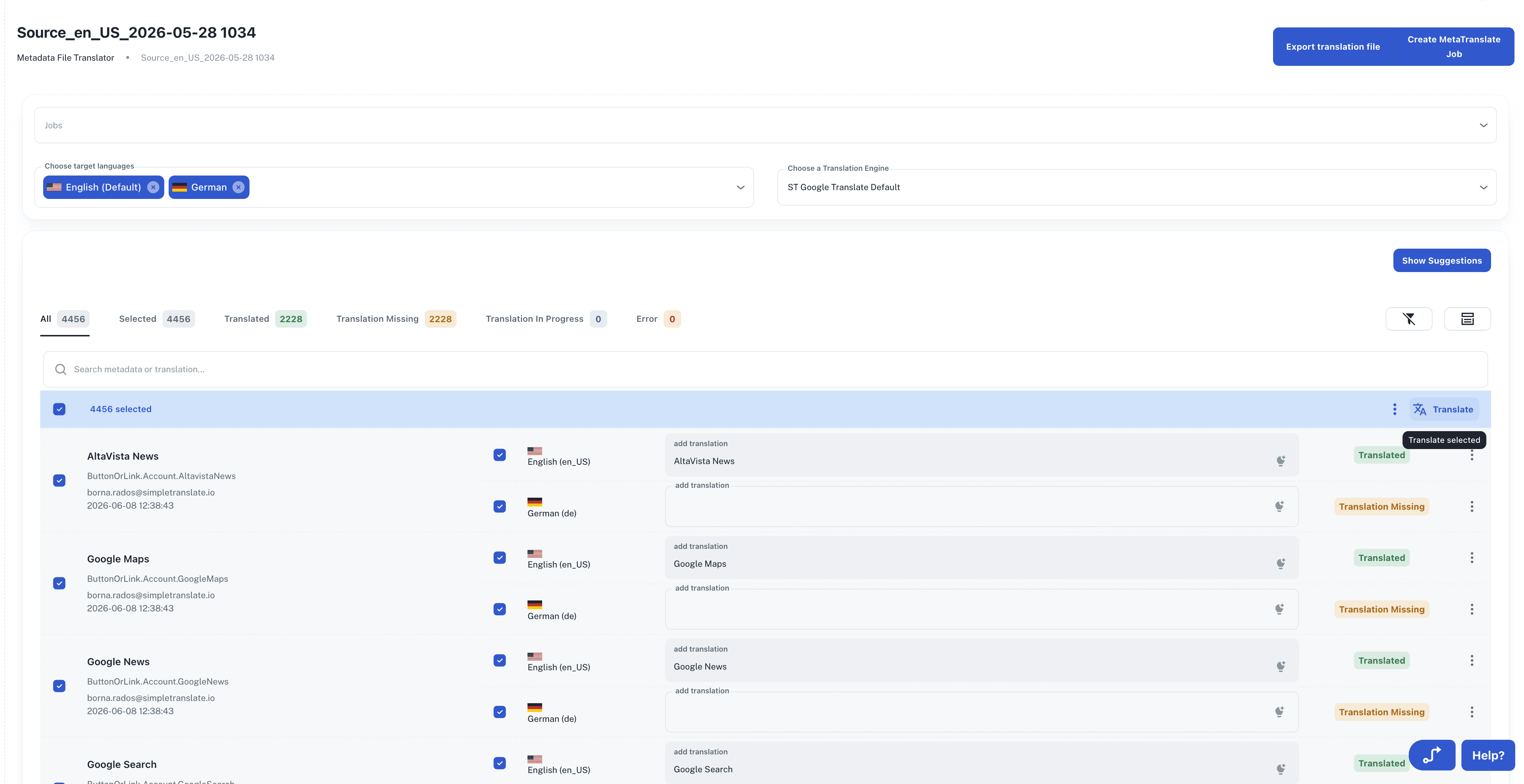
Bulk translation — translate every entry at once with the engine of your choice: Google Translate, DeepL, AWS, or AI.
One organized view — review and edit all translations in a structured table instead of raw XLIFF files.
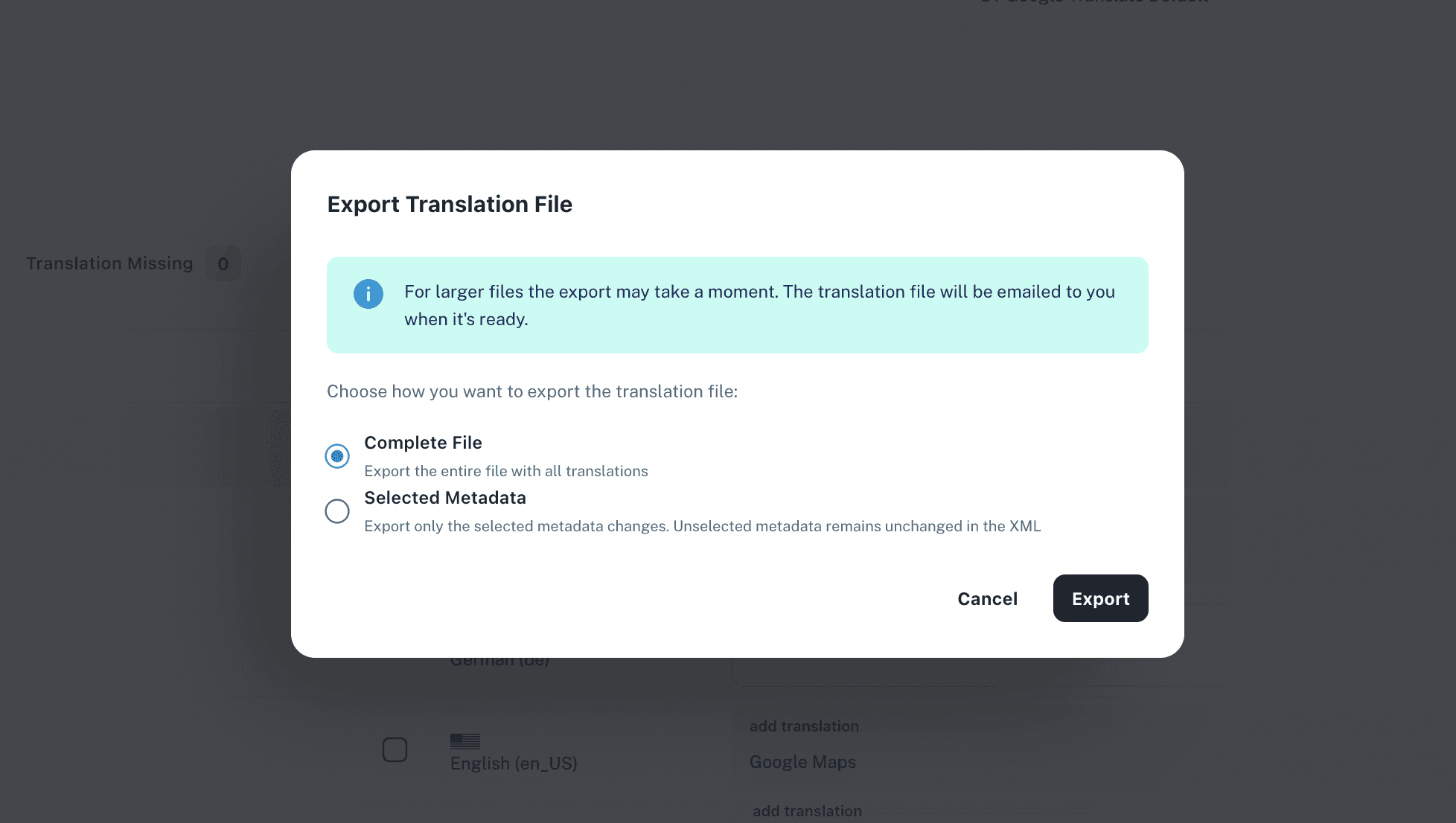
Clean export — download the translated file in the exact format Salesforce expects. No formatting errors on re-import.
All languages supported — handle every target language in the same workflow.
Translation Jobs — optional structured tracking and approval for teams that need governance.
The workflow in five steps
Export from Salesforce — download the XLIFF ZIP from Translation Workbench.
Upload to SimpleT — languages and metadata are detected automatically.
Bulk translate — pick an engine and translate everything in one run.
Review — check terminology and consistency in the central table before anything leaves the system.
Re-import into Salesforce — upload the translated file back into Translation Workbench. Done.
Why teams switch to this
Manual XLIFF editing breaks down the moment you have more than one language or more than one release. Wording drifts, formatting errors sneak in, and the same work repeats every cycle.
With SimpleT the whole cycle runs in one place: consistent terminology, no formatting surprises, and translated files ready in minutes instead of days. Especially during release preparation, that difference is what keeps localization off the critical path.
Published:
3/10/2026
Back to the Articles List