
Manually updating Experience Cloud translations for every release is repetitive and easy to get wrong. SimpleTranslate handles it in bulk: export from Salesforce, translate with one click, re-import when done.
When an Experience Cloud portal is small, translation feels manageable. A few pages, a couple of languages, done. But the moment your portal grows, every release adds more pages to translate, more components to check, and more chances to miss something.
Most teams hit the same wall: translation becomes a recurring effort that slows every deployment down.
Why manual translation stops working at scale
Every release means repeating the same steps from scratch
Small content changes are easy to miss between releases
Wording drifts across languages over time with no way to catch it
No visibility into what is fully translated and what is not
How SimpleTranslate handles it
Instead of editing content one item at a time inside Salesforce, SimpleTranslate lets you work in bulk outside the system and import back when ready.
You get full or partial export flexibility, meaning you can translate just the components that changed or the entire portal in one go. Either way, the result is a clean, correctly formatted file that imports back into Translation Workbench without errors.
The workflow
Export from Salesforce — download your Experience Cloud content as an XML or XLIFF file from Translation Workbench.
Upload to SimpleTranslate — languages are detected automatically on import.
Bulk translate — translate all entries at once using Google Translate, DeepL, AWS, or AI.
Re-import into Salesforce — upload the translated file back into Translation Workbench in one step. Your multilingual portal is ready.
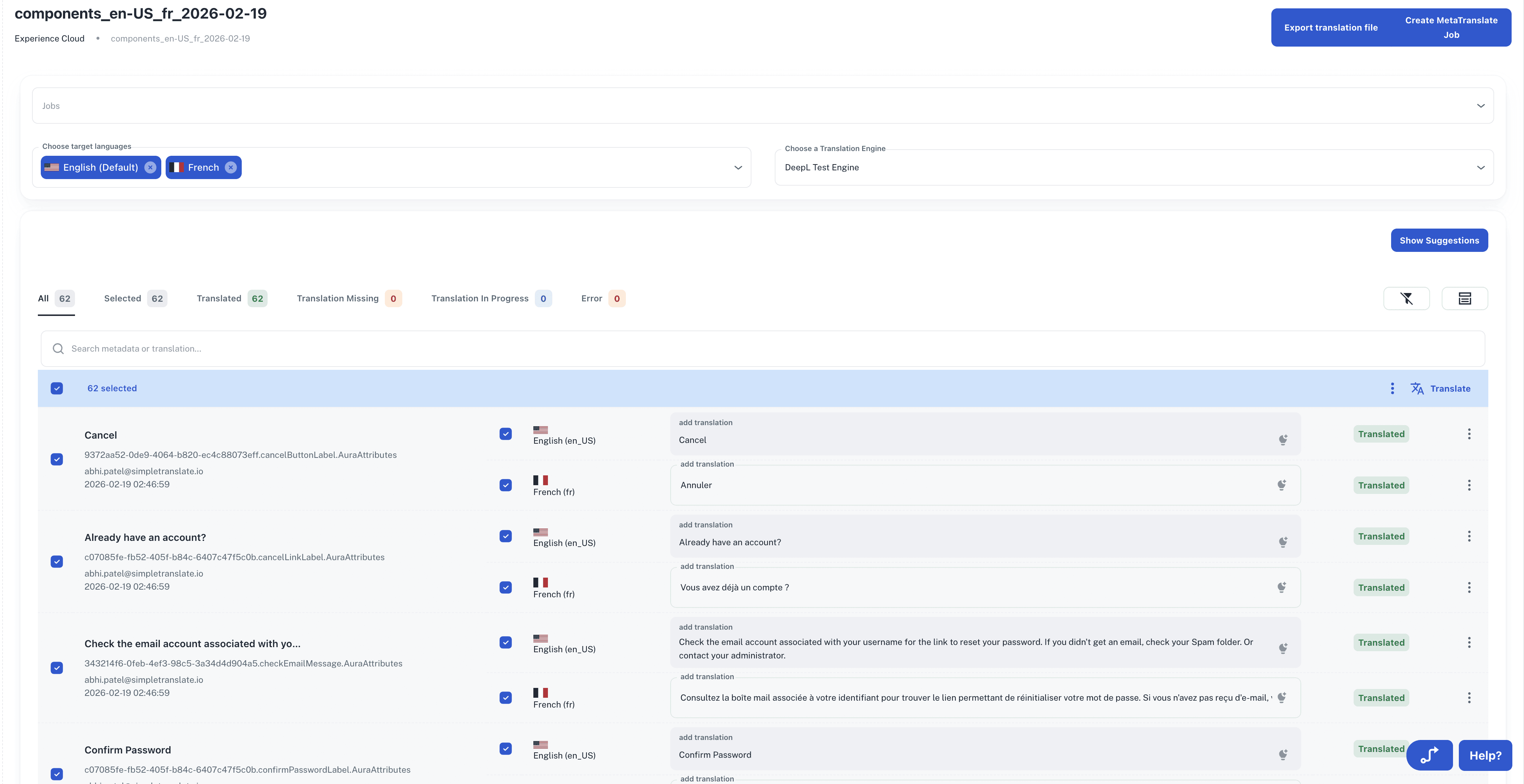
What this changes in practice
Teams that were spending hours on translation before every release get that time back. Content stays consistent across languages because everything runs through the same workflow. And because you can export only what changed, smaller updates no longer require a full translation cycle.
For teams managing multiple languages across a growing portal, SimpleTranslate keeps localization off the critical path so releases stay on schedule.
Published:
02/24/2026
Back to the Articles List