
With Simple Translate, you can streamline your workflow and achieve translations up to 15x faster and more.
How to Start Translating Salesforce with Simple Translate
Retrieve Metadata from Salesforce
To begin translating, retrieve the desired metadata from your Salesforce org:
Go to Metadata Translator.
Click Retrieve Metadata.
Select all the metadata types you want to translate.
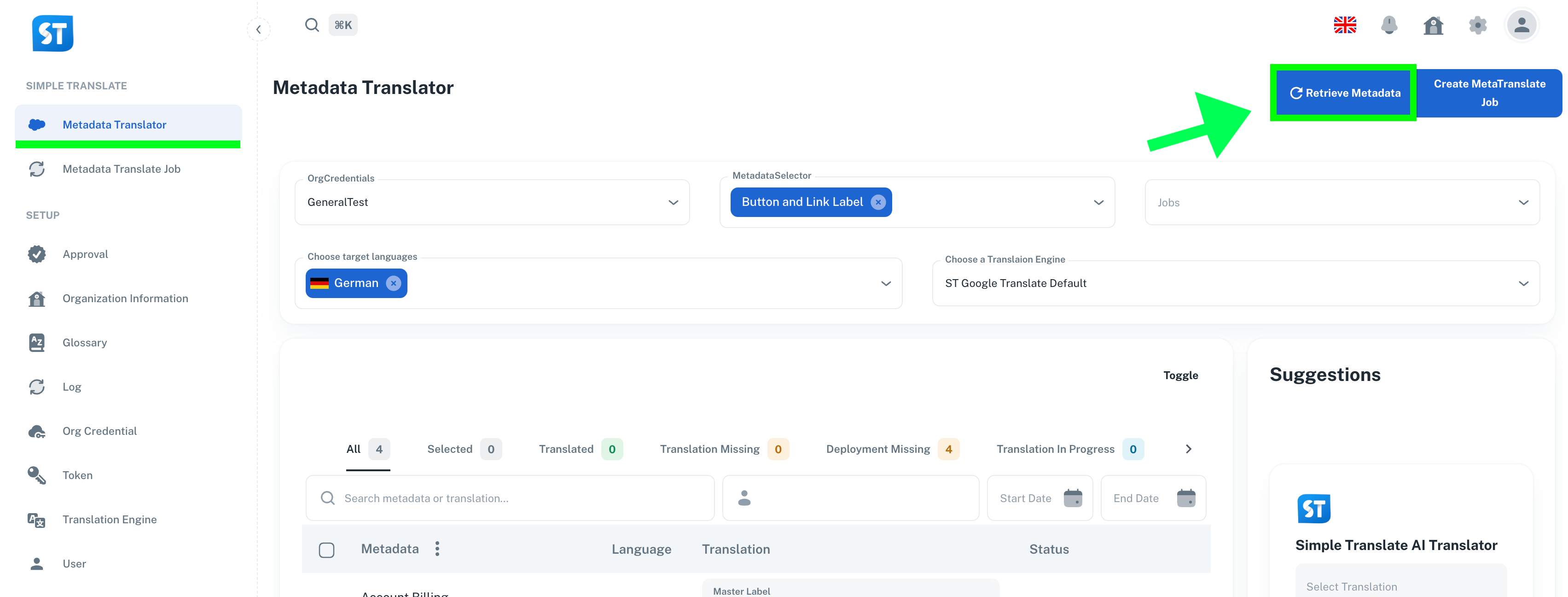
Learn more about in: Retrieve Documentation
Translate and Verify
Translate Desired Functionality
Select Translation Engine you want to use.
Choose one or multiple metadata items.
Click Translate
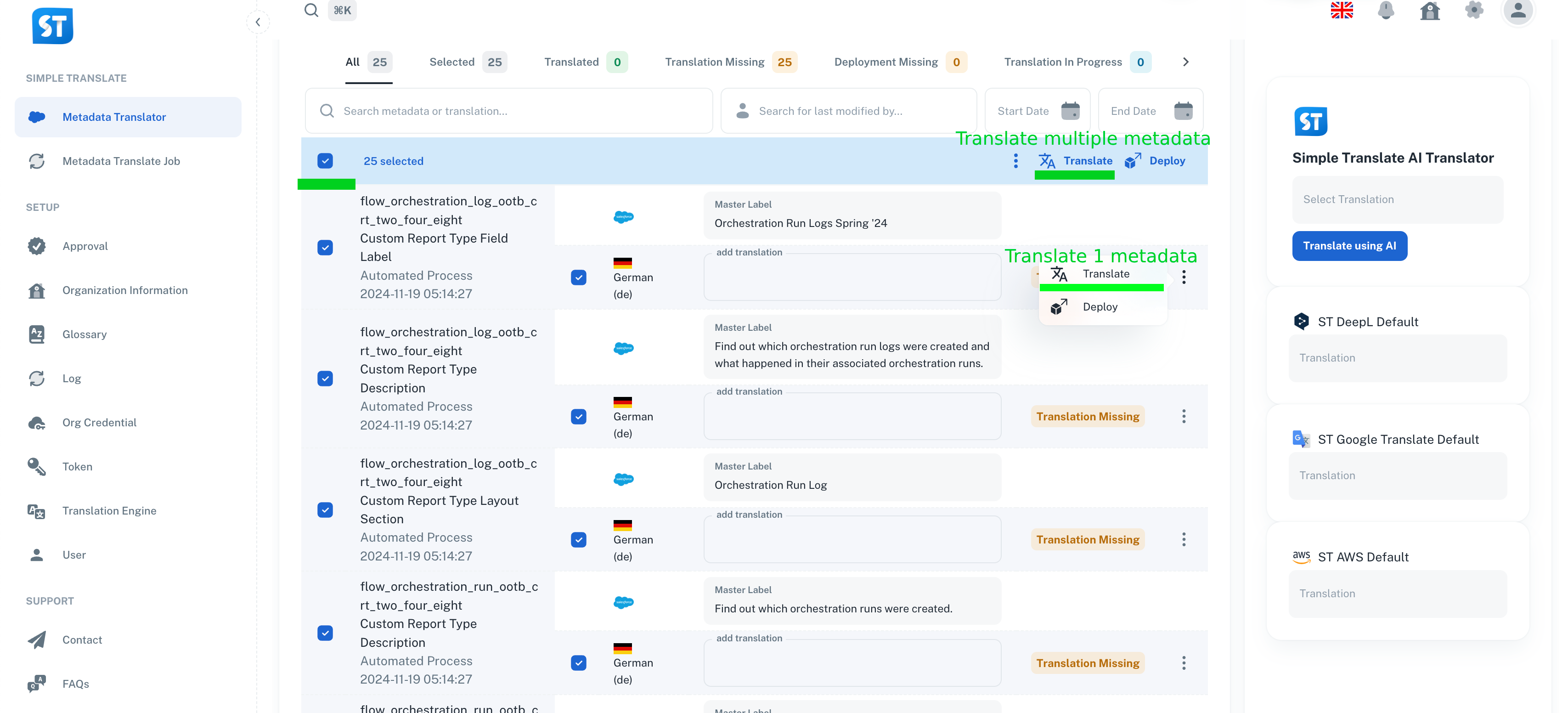
Suggestion Feature
The Suggestion Feature in Simple Translate provides AI-generated translation recommendations.
How it helps:
Displays multiple translation options from your selected engines.
Allows you to quickly select, rephrase, or refine translations with Simple Translate AI.
Deploy Your Translations
Once you're satisfied with the results, deploy the translations back into your Salesforce environment:
Click Deploy
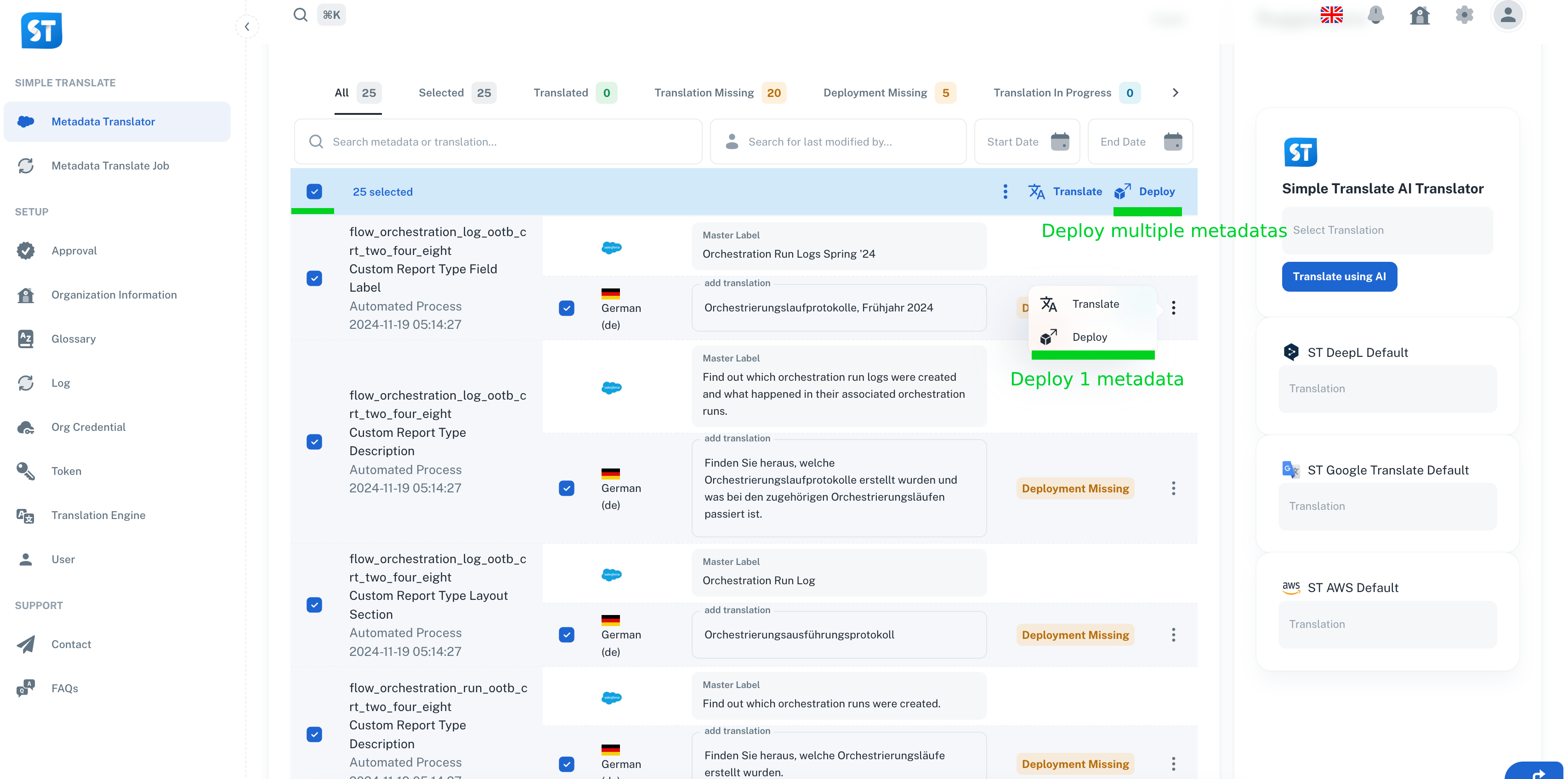
For technical implementation details and configuration options, visit our SimpleT Documentation.
Published:
3/5/2025
Back to the Articles List