
Automatically create enriched contacts from files or images received via email, uploads, or marketing events to eliminate manual data entry while improving CRM data quality.
Transform Any Document into Structured Salesforce Data
SimpleT File AI Component leverages advanced AI to automatically analyze and extract structured information from any type of document or image. From business cards and forms to invoices, contracts, and technical documents, this versatile component transforms unstructured content into actionable Salesforce data, eliminating manual data entry across diverse business processes.
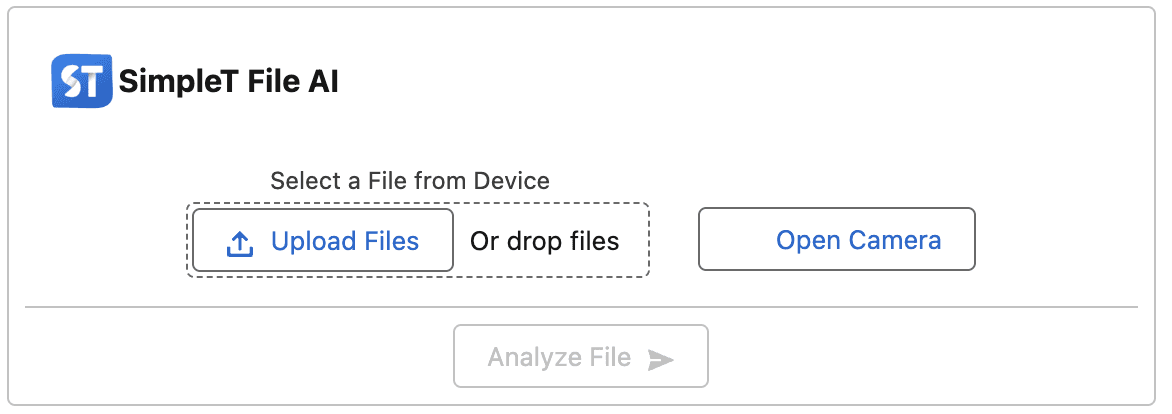
Complete File Intelligence Suite
SimpleT File AI Component provides comprehensive tools that transform any file or image into structured contact data:
Multi-Source Input: File uploads, camera capture, and existing document analysis
Smart Data Extraction: Automatically identify names, emails, phones, addresses, and titles
Contact Enrichment: Generate detailed contact profiles from minimal information
Mobile-First Design: Native camera integration for field capture and events
Advanced Processing Features
AI Translation: Process international business cards and documents
Data Optimization: Standardize and enhance contact information quality
Field Mapping: Configure custom field extraction based on your CRM needs
Record Integration: Seamlessly populate Salesforce records
Immediate CRM Data Quality Results
Contact Data Transformation:
Instant Contact Creation: Convert business cards to contacts in under 30 seconds
Data Accuracy: AI extraction eliminates manual typing errors and inconsistencies
Event Efficiency: Capture dozens of contacts at trade shows and networking events
Global Support: Process international contacts with automatic translation
Mobile Productivity: Field teams create contacts anywhere, anytime
Real-World Contact Capture Scenario
A sales rep attends a trade show and collects 50 business cards. Instead of spending hours manually entering contact information, they simply use their mobile device to photograph each business card. SimpleT File AI Component instantly extracts names, titles, companies, emails, and phone numbers, creating enriched Contact records complete with proper formatting and data validation.
Result: 50 new contacts created in 10 minutes instead of 3 hours. Perfect data accuracy with enhanced contact profiles. Immediate follow-up capability while leads are fresh.
Deploy Smart Contact Capture Today
Ready to revolutionize how your team captures and manages contact information? Follow these simple steps to deploy SimpleT File AI Component:
Step 1: Install SimpleT AI Components Package
First, install the SimpleTComponents managed package in your Salesforce org. For detailed installation instructions, visit our Package Installation Guide.
Step 2: Add Component to Record Page
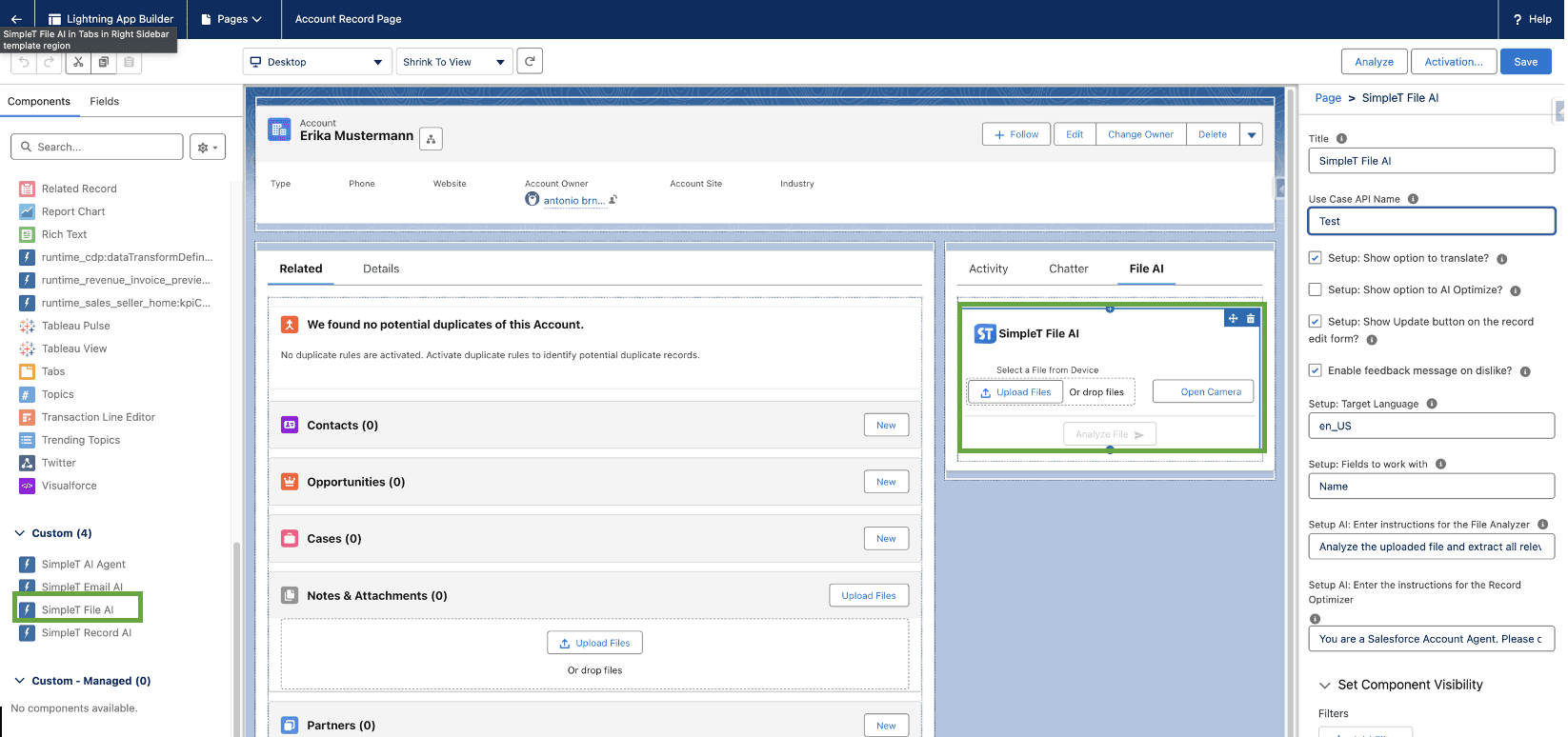
Place the SimpleT File AI component on any record page where it suits your workflow.
Step 3: Configure Component Properties
Populate the required fields for optimal SimpleT File AI performance. Configure your preferred settings and field mappings to match your business needs. Activate and save the record page to enable intelligent file processing capabilities.
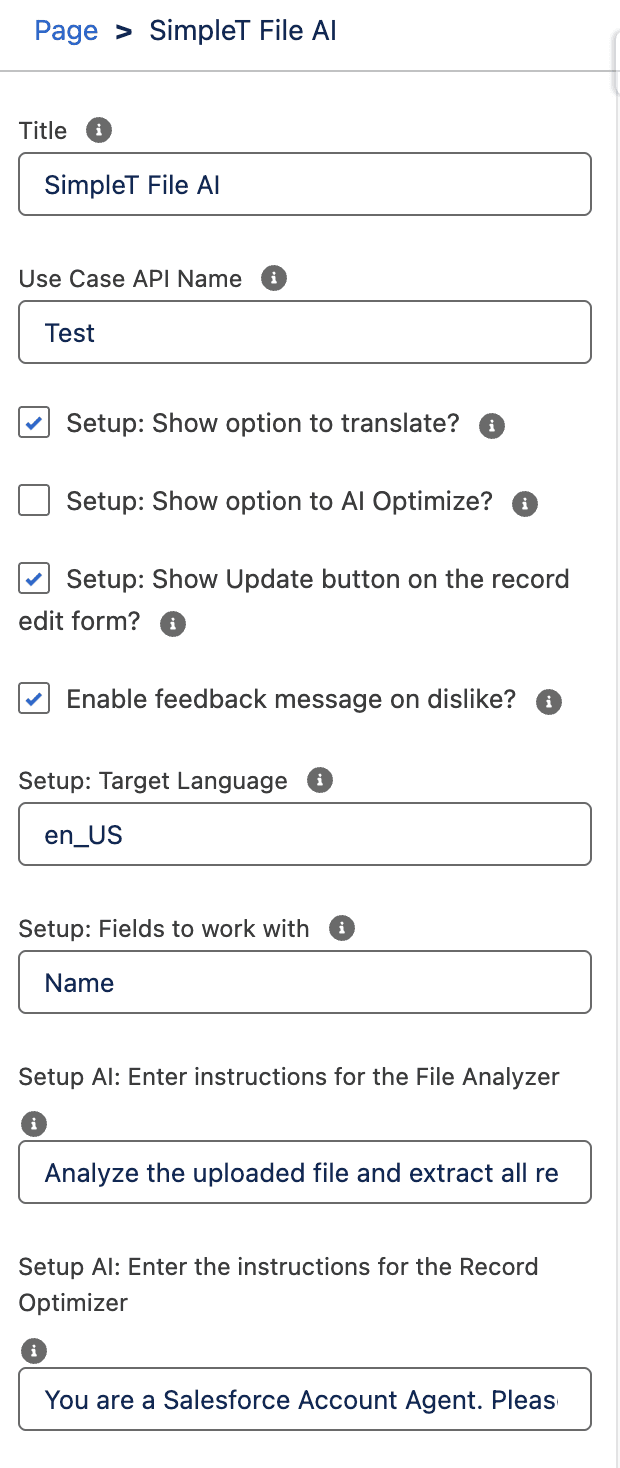
Step 4: Start Using & Track SimpleT File AI Performance
You're ready to transform files into enriched contact data! Upload files or capture images to automatically generate structured contact information. Monitor your AI performance and optimize results with AI Command Center tracking.
Perfect for sales teams, marketing events, customer onboarding, lead qualification, and any scenario where fast, accurate contact data capture drives business growth and customer relationship success.
Experience how intelligent file processing transforms your CRM data quality and team productivity.Request your demo and see SimpleT File AI eliminate manual data entry while creating richer customer profiles.
For technical implementation details and field mapping configuration, visit our SimpleT File AI Component Documentation.
Published:
2/27/2025
Back to the Articles List