
Enhance Salesforce Service Cloud case comments with AI-powered generation, translation, and improvement to streamline support communication.
Transform Your Salesforce Service Cloud with AI-Powered Case Comments
SimpleT Case Comment enables support agents to create, translate, and refine case comments with advanced AI within Salesforce Service Cloud. Streamline support communication while improving response quality and saving valuable time.
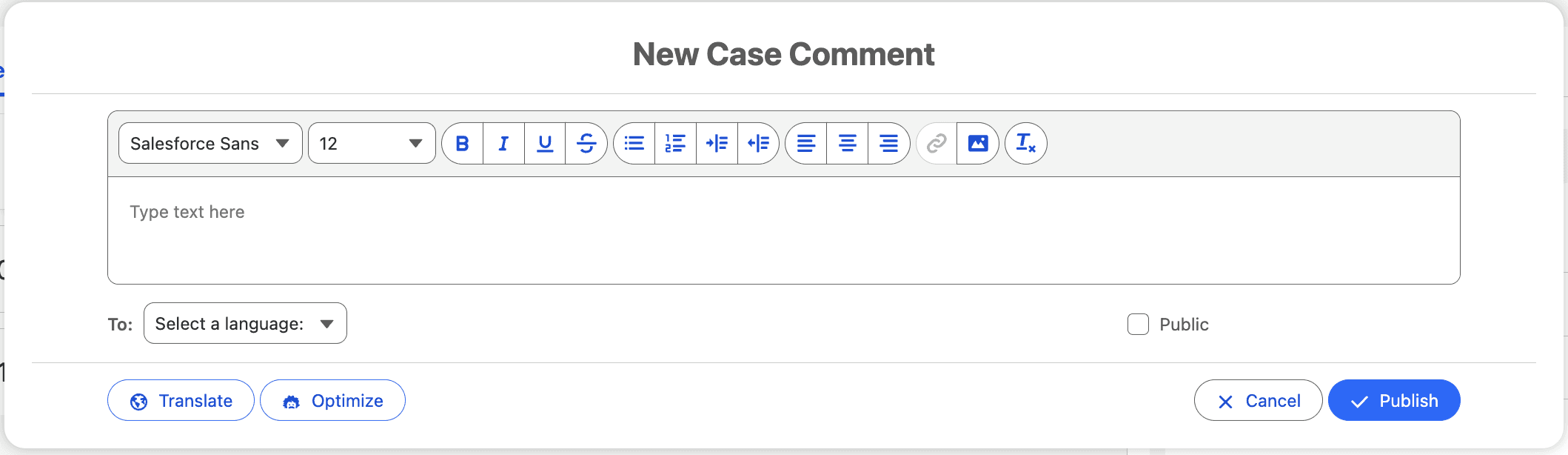
Four Core AI Capabilities in One Component
SimpleT Case Comment provides four essential AI-powered features that enhance every support interaction:
AI Generation: Create professional case comments from simple prompts
Instant Translation: Convert comments to any supported language with one click
Content Refinement: Improve tone, clarity, and professionalism automatically
Direct Integration with Service Cloud
Works seamlessly within your existing Salesforce Service Cloud workflow. Available on Case record pages and Flow screens, the component maintains consistency while adapting to your specific support processes.
Immediate Benefits for Your Support Team
Key Results:
Faster Response Times: Generate quality responses in seconds, not minutes
Multilingual Support: Handle cases in any language without bilingual staff
Consistent Quality: Maintain professional tone across all agents and experience levels
Reduced Training: New agents deliver expert-level responses immediately
Better Customer Experience: Clear, accurate communication in preferred languages
Get Started with SimpleT Case Comment
Ready to enhance your Salesforce Service Cloud with AI-powered case comment capabilities? Follow these simple steps to deploy Smart Case Comment Component:
Step 1: Install SimpleT AI Components Package
First, install the SimpleTComponents managed package in your Salesforce org. For detailed installation instructions, visit our Package Installation Guide.
Step 2: Add Component to Record Page
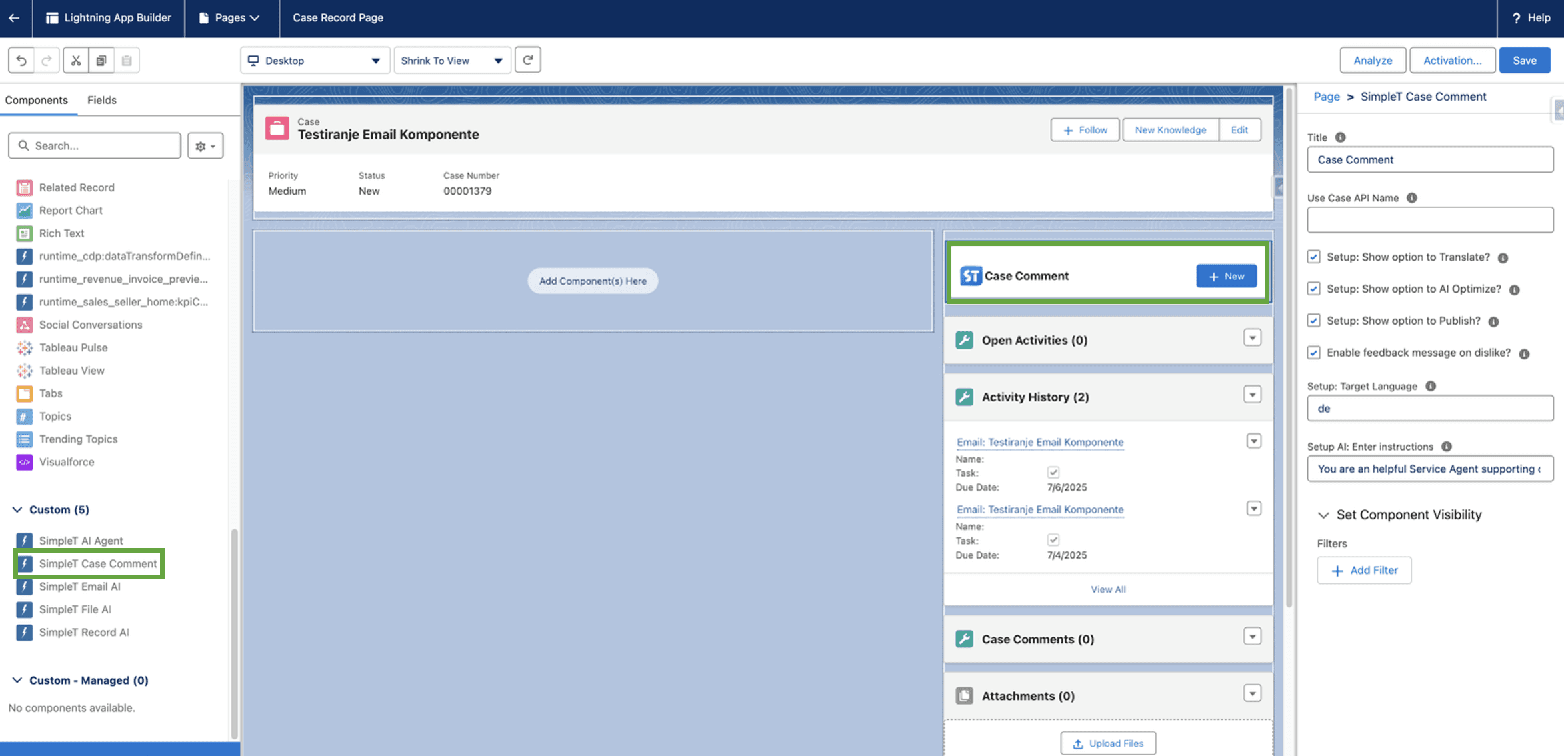
Place the SimpleT Smart Case Comment component on any case record page where it suits your workflow.
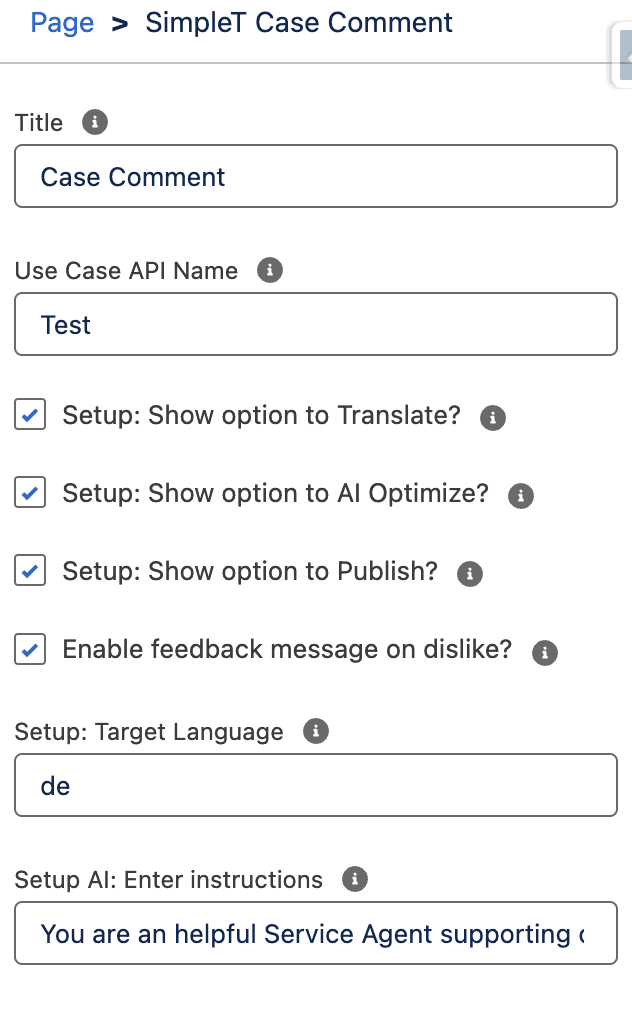
Step 3: Configure Component Properties
Populate the required fields for optimal Smart Case Comment performance. Configure your preferred AI settings and workflow options to match your support team needs. Activate and save the record page to enable AI-powered case comment capabilities.
Step 4: Start Using & Track SimpleT Case Comment Performance
You're ready to transform your case comment workflow with AI! Create, summarize, translate, and improve case comments with advanced AI capabilities. Monitor your AI performance and optimize results with AI Command Center tracking.
Experience how SimpleT AI Components can transform your support workflow.Schedule a demo to see SimpleT Case Comment in action within your Salesforce environment.
For technical implementation details and setup instructions, visit our SimpleT Case Comment Documentation.

Co-financed by the European Union from the European Regional Development Fund under the Competitiveness and Cohesion Programme 2021–2027.
Sufinancira Europska unija iz Europskog fonda za regionalni razvoj u sklopu Programa Konkurentnost i kohezija 2021. – 2027.
Published:
1/17/2025
Back to the Articles List